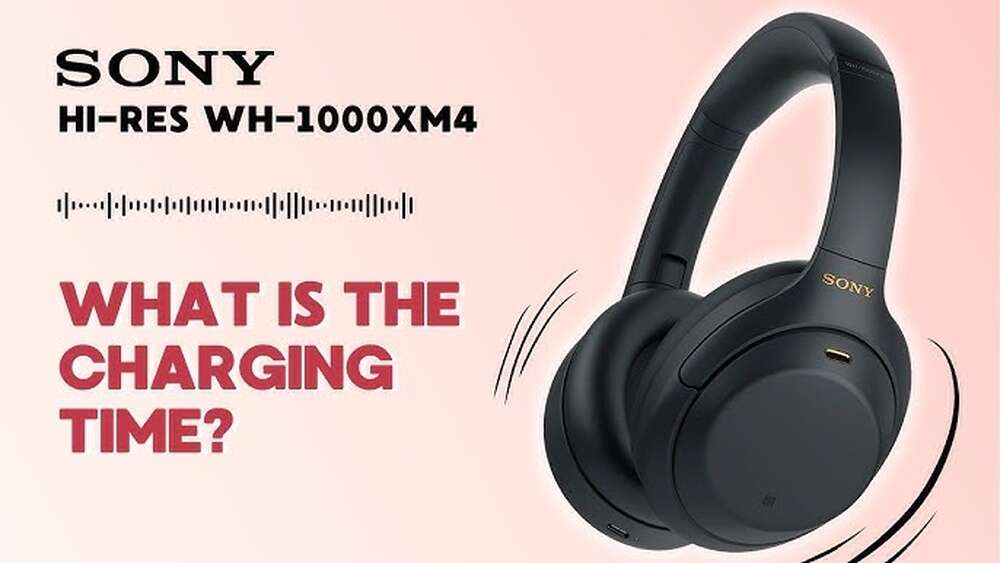
How Long Do Sony Headphones Take to Charge? Fast Charging Guide
How Long Do Sony Headphones Take To Charge
If you use Sony headphones, you probably want to know how long they take to charge. A quick charge can help you get back to your music, work, or calls. But the charging time can be confusing because Sony makes many headphone models. I often get asked about this topic, especially by friends who travel or use headphones for long workdays. Let me guide you through everything you need to know about charging Sony headphones, based on both expert knowledge and personal experience.
Why Charging Time Matters
Most people depend on headphones for music, calls, and videos. If your headphones run out of power, you lose that connection. Fast charging is important if you:
- Travel often
- Work long hours
- Use headphones for gaming
- Forget to charge before leaving home
I once missed a conference call because my headphones were not charged. It was frustrating because I thought they would be ready after a quick plug-in. Knowing the right charging time helps you avoid these problems.
Sony Headphone Types And Charging Differences
Sony makes many types of headphones. Each has a different charging speed. The three main categories are:
- Wireless over-ear headphones (like WH-1000XM series)
- True wireless earbuds (like WF-1000XM series)
- Wireless on-ear and sports headphones
Charging time depends on the battery size, charger used, and model features.
Popular Models And Their Charging Times
Here’s a look at some well-known Sony headphones and how long they take to charge:
| Model | Type | Full Charge Time | Quick Charge | Battery Life |
|---|---|---|---|---|
| WH-1000XM5 | Over-ear | 3.5 hours | 10 min = 5 hours | 30 hours |
| WH-1000XM4 | Over-ear | 3 hours | 10 min = 5 hours | 30 hours |
| WF-1000XM4 | Earbuds | 1.5 hours | 5 min = 60 min | 8 hours (buds) |
| WI-C310 | Neckband | 1.5 hours | 10 min = 60 min | 15 hours |
| WH-CH710N | Over-ear | 7 hours | None | 35 hours |
These numbers show that most Sony headphones charge in 1.5 to 3.5 hours. Some models offer quick charge, which gives several hours of use after just a few minutes of charging.
What Affects Charging Time?
Charging is not only about plugging in the headphones. Several things can change how fast your Sony headphones charge:
1. Battery Size
Bigger batteries take longer to charge. Over-ear headphones usually have larger batteries than earbuds.
2. Charging Cable And Adapter
Using the right cable and charger is important. Sony recommends using the original USB cable and a 5V power adapter.
If you use a slow charger or an old cable, charging might take longer.
3. Fast Charging Feature
Some Sony headphones have quick charge. This is a special feature that lets you get hours of use from a short charge. For example, the WH-1000XM4 gives you 5 hours of listening after a 10-minute charge.
4. Wireless Charging
Some earbuds, like the WF-1000XM4, support wireless charging. Wireless charging is usually slower than wired charging.
5. Battery Age
As batteries get older, they sometimes take longer to charge. If your headphones are a few years old, you may notice slower charging.
6. Temperature
Charging works best at room temperature. If you charge your headphones in a very hot or cold place, it can slow down the process.
How To Charge Sony Headphones Properly
Charging headphones is simple, but there are a few tips to make sure you do it right.
Steps To Charge
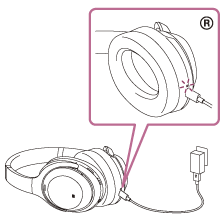
- Use the original USB cable or a high-quality replacement.
- Plug the cable into the headphones and a 5V USB charger (like a phone charger).
- Make sure the headphones are turned off before charging.
- Wait until the indicator light shows the battery is full (usually turns off or changes color).
Most Sony headphones have a charging indicator. It’s usually a small LED light that is red when charging and turns off or green when full.
Charging Sony Earbuds
Earbuds charge in their case. Place the earbuds in the charging case, close the lid, and connect the case to a charger if needed.
Charging Via Wireless
For earbuds with wireless charging, place the case on a Qi wireless pad. Make sure the pad and case are lined up correctly.
Credit: helpguide.sony.net
Quick Charge Vs Full Charge: What’s The Difference?
Sony headphones often offer quick charge. This gives you a lot of use from a short charge. But it’s not the same as a full charge.
- Quick charge: Short charging time, enough for a few hours of use.
- Full charge: Takes longer, gives maximum battery life.
For example, if you need to leave soon, quick charge is handy. But if you want to use the headphones all day, a full charge is better.
When To Use Quick Charge
- Before a workout
- When you forgot to charge overnight
- During travel stops
When Full Charge Is Best
- Before long flights
- For all-day events
- If you won’t have access to a charger
My Personal Experience With Sony Charging
I’ve used several Sony headphones and earbuds. Here’s what I learned:
Last year, I bought the WH-1000XM4 for work and travel. The quick charge feature saved me many times. Once, I realized my battery was low just 15 minutes before leaving for a meeting. I plugged them in for 10 minutes, and got enough battery to last the whole session.
I also used the WF-1000XM4 earbuds. They charge quickly in the case, and the wireless charging is convenient. However, I noticed that wireless charging takes longer—about 2 hours compared to 1.5 hours with a cable. If you’re in a hurry, I recommend using the cable.
Many users don’t realize that the charging speed slows down as the battery fills up. The first 50% charges faster than the last 50%. This is normal and protects the battery.

Credit: www.reddit.com
Common Charging Mistakes And How To Avoid Them
Charging seems easy, but there are mistakes that can waste time or damage your headphones.
1. Using The Wrong Charger
A slow or cheap charger can double your charging time. Always use the charger that comes with your headphones or a trusted brand.
2. Charging In Extreme Temperatures
Avoid charging in places that are too hot or cold. It slows down charging and can harm the battery.
3. Overcharging
Sony headphones have protection circuits, but it’s still best not to leave them plugged in for days.
4. Ignoring Battery Indicators
Don’t guess if your headphones are fully charged. Watch the indicator light or check the app if your model supports it.
5. Using Damaged Cables
Old or broken cables can cause slow charging or even damage the battery.
Comparing Sony Headphones With Other Brands
You might wonder if Sony headphones charge faster than other brands. Let’s compare them to Bose and Apple AirPods.
| Brand | Model | Full Charge Time | Quick Charge | Battery Life |
|---|---|---|---|---|
| Sony | WH-1000XM5 | 3.5 hours | 10 min = 5 hours | 30 hours |
| Bose | QuietComfort 45 | 2.5 hours | 15 min = 3 hours | 24 hours |
| Apple | AirPods Pro 2 | 1 hour | 5 min = 1 hour | 6 hours (buds) |
Sony offers longer battery life and quick charge, but the full charge time is sometimes longer than other brands. This is because Sony headphones usually have bigger batteries.
How To Check Battery And Charging Status
It’s important to know how much battery you have and if your headphones are charging correctly.
Using The Indicator Light
Most Sony headphones have a small LED:
- Red: Charging
- Green/Off: Fully charged
Using The Sony Headphones App
If your model supports it, download the Sony Headphones Connect app. The app shows battery level and charging status.
Checking On Your Device
Some Sony headphones show battery status on your phone, tablet, or computer. Look for a battery icon when connected via Bluetooth.
Fast Charging: How Does It Work?
Fast charging is a special feature in some Sony headphones. It works by allowing more power to flow into the battery for a short time.
- Fast charging usually works best when the battery is low.
- As the battery fills up, the charging speed slows down.
- This protects the battery and makes it last longer.
Sony’s quick charge is safe, but only use the recommended charger and cable.
Tips To Make Charging Faster And Easier
You can save time and keep your headphones healthy with a few simple tips:
- Use a good quality USB charger (at least 5V/1A).
- Keep your charging cables clean and untangled.
- Charge at room temperature (68–77°F).
- Do not use headphones while charging.
- Charge before the battery gets too low—don’t wait until it’s empty.
- If your headphones support fast charge, use it when needed.
Battery Care For Long Life
Charging is not just about speed. You want your battery to last as long as possible.
How To Care For Your Battery
- Avoid charging to 100% all the time; 80–90% is enough for most uses.
- Don’t let the battery drop to 0% often.
- If you store headphones for weeks, charge them to 50% first.
- Clean charging ports gently with a soft cloth.
- Update your headphone firmware if Sony releases updates.
Taking care of your battery helps you avoid replacing your headphones early.
Practical Charging Scenarios
Let’s look at some real-life examples:
Traveling
If you travel, charge your headphones fully before leaving. Quick charge can help during layovers.
Working All Day
Charge overnight for full battery. Use quick charge for emergency situations.
Exercising
Quick charge is great for workouts. Even 10 minutes can give enough battery for a session.
Gaming
Full charge is best for gaming. You don’t want headphones to die in the middle of a game.
How To Troubleshoot Charging Problems
Sometimes headphones don’t charge as expected. Here’s what to do:
- Try a different cable or charger.
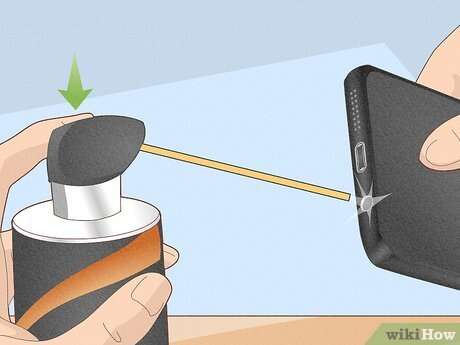
- Clean the charging port with a dry, soft cloth.
- Make sure the power source is working.
- Restart your headphones.
- Check for firmware updates.
If your headphones still won’t charge, contact Sony support or visit their official page: Sony Support.

Credit: www.reddit.com
Charging Sony Headphones: Quick Facts
- Most Sony headphones charge in 1.5 to 3.5 hours.
- Quick charge gives 1–5 hours of use from a 5–10 minute charge.
- Charging time depends on model, battery, charger, and temperature.
- Always use the original charger and cable for best results.
Frequently Asked Questions
How Long Does It Take To Charge Sony Wh-1000xm4 Headphones?
It takes about 3 hours to fully charge Sony WH-1000XM4 headphones. The quick charge feature gives you 5 hours of use after a 10-minute charge.
Can I Use My Sony Headphones While Charging?
Most Sony headphones do not allow you to use them while charging. It’s best to wait until charging is finished.
Does Fast Charging Damage The Battery?
No, Sony’s fast charging is safe. The headphones have built-in protection to keep the battery healthy.
Why Is My Sony Headphone Charging Slower Than Before?
As batteries age, charging can slow down. Using a weak charger or damaged cable can also cause slow charging.
Is Wireless Charging Slower Than Wired Charging?
Yes, wireless charging is usually slower. If you need a quick charge, use the wired USB cable.
Final Thoughts
Charging Sony headphones is easy when you know what to expect. Most models charge in less than four hours, and quick charge can get you back to listening fast. Always use the right charger and cable, and care for your battery to keep your headphones working well for years.
I’ve learned from personal experience that planning ahead saves stress—whether you’re heading to work, traveling, or just enjoying your favorite music. If you follow these simple tips, you’ll never be caught with dead headphones again.