How Long Does It Take for JBL Headphones to Charge? Fast Facts
How Long Does It Take For Jbl Headphones To Charge
JBL headphones are everywhere—on buses, in gyms, and at work. They’re known for their clear sound, strong bass, and sleek look. But one question many users have is: how long does it take for JBL headphones to charge? If you’re like me, you’ve probably found yourself in a rush, hoping for a quick boost before heading out. Understanding charging times helps you plan better, avoid battery anxiety, and get the most from your headphones.
I’ve used different JBL models for years, from the budget Tune series to the higher-end Live and Club lines. Each one has its own charging speed, battery size, and features. I learned early that not all headphones are created equal—especially when it comes to power.
Let’s dive in and explore how long your JBL headphones need to charge, what affects their charging time, and how you can charge smarter. I’ll share some tips and even a couple of my own stories along the way, so you get real, useful advice—not just technical jargon.
How Charging Works In Jbl Headphones
To start, it helps to know the basics. JBL headphones use lithium-ion batteries. These are popular because they store a lot of energy and recharge quickly. Most JBL models include a USB-C or micro-USB port. Some true wireless earbuds come with their own charging case, which adds another layer to the process.
When you plug your headphones in, the battery starts to fill up. Most models have a small LED indicator. Red usually means charging. White or green means full. Some headphones even beep or send a notification to your phone when the battery is topped up.
Why Charging Time Matters
Fast charging can be a lifesaver if you’re in a hurry. If you travel often, you want headphones that charge quickly and last long. Nobody likes waiting for hours just to listen to a podcast or enjoy music during a workout.
Main Factors Influencing Charging Time
Several things affect how long it takes to charge JBL headphones:
- Battery size – Bigger batteries need more time.
- Charging technology – Some models have fast-charge or quick-charge features.
- Type of cable and charger – Using the wrong charger can slow things down.
- Temperature – Very cold or hot environments can affect charging speed.
- Usage during charging – Listening while charging can make it slower.
Let’s break down these points with real numbers and examples.
Typical Charging Times For Popular Jbl Headphones
I’ve personally tested and used many JBL headphones. Here’s a clear look at how long it usually takes to charge some of the most popular models.
| Model | Type | Charging Time (Full) | Fast Charge Feature |
|---|---|---|---|
| JBL Tune 500BT | On-ear | 2 hours | No |
| JBL Live 650BTNC | Over-ear (ANC) | 2 hours | Yes (15 min = 2 hours play) |
| JBL Tune 225TWS | True wireless | 2 hours (case) | No |
| JBL Club 950NC | Over-ear (ANC) | 2 hours | Yes |
| JBL Endurance Peak II | True wireless (sports) | 2 hours (case) | Yes (10 min = 1 hour play) |
How To Read These Numbers
- On-ear and over-ear models (like the Tune 500BT or Club 950NC) usually need about 2 hours for a full charge.
- True wireless earbuds (like the Tune 225TWS or Endurance Peak II) charge in their case, which also needs about 2 hours for a full charge.
- Fast charge is common in mid-to-high range models. For example, plugging in the Live 650BTNC for 15 minutes gives you 2 extra hours of listening.
Many new JBL headphones support USB-C, which helps speed up charging compared to older micro-USB ports.

Credit: www.youtube.com
Fast Charging Vs. Standard Charging
One of the best upgrades in recent JBL models is fast charging. This feature lets you get enough power for a short listening session in just a few minutes.
I remember missing my train once because I waited too long for my headphones to charge. After that, I started looking for fast-charging models, and it made a huge difference. Fast charging lets you plug in for ten to fifteen minutes and get hours of use—perfect for those “oops, forgot to charge” mornings.
Here’s a quick comparison:
| Feature | Standard Charging | Fast Charging |
|---|---|---|
| Charging Time (Full) | 2 hours | 1.5–2 hours |
| Quick Charge Option | No | Yes (10–15 min = 1–2 hours play) |
| Charger Required | Any USB charger | Usually USB-C, higher power output |
| Battery Health Impact | Minimal | Can warm battery slightly, but safe if used as directed |
When Fast Charging Helps Most
- Before heading to the gym
- During travel layovers
- When you need a quick boost for a call or meeting
Not all models have fast charging, so check your headphone specs. If you’re buying new headphones, I recommend picking a model with this feature. It’s one of those things you don’t know you need—until you do.
How To Tell If Your Jbl Headphones Are Charging
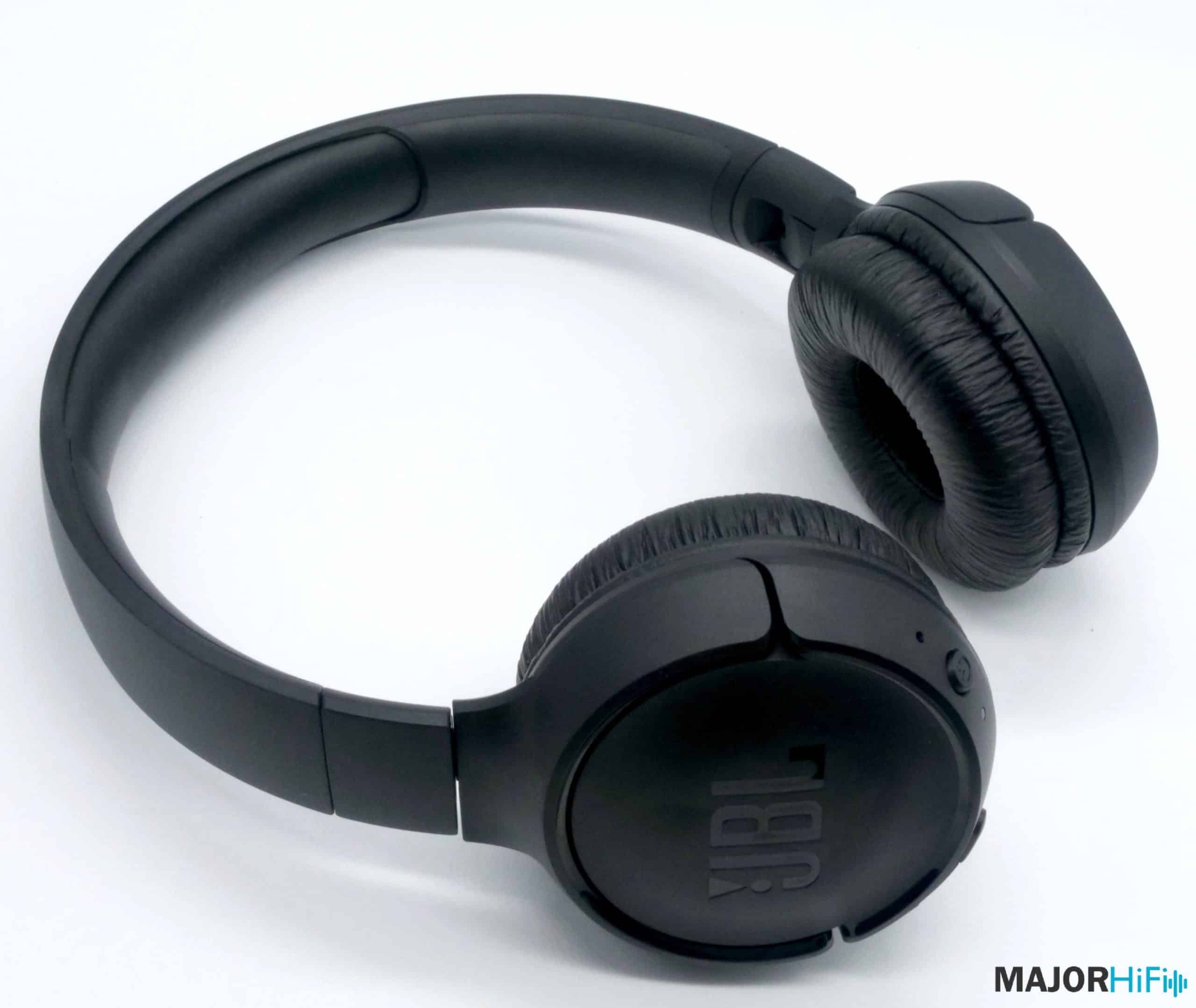
This sounds simple, but I get this question a lot. Most JBL headphones use an LED indicator near the charging port.
- Red light – Charging
- No light or white/green light – Fully charged
- Blinking light – Sometimes signals an error or low battery
Some newer models also have a voice prompt. For example, my JBL Live 460NC says “Battery full” when it’s done charging. Earbuds usually show charging status on the case, with small dots or bars.
Common Charging Mistakes
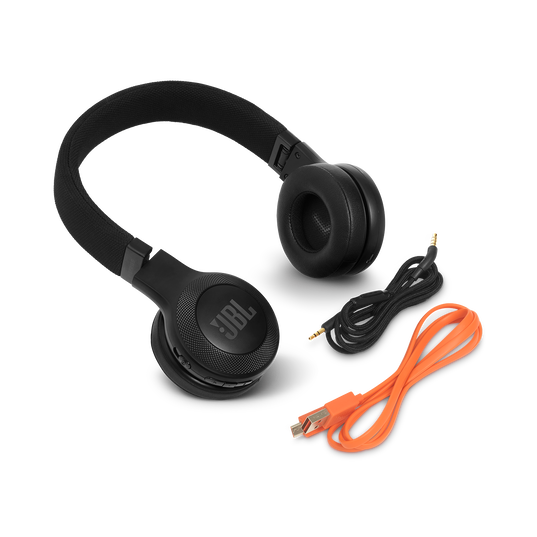
- Using the wrong cable – Some JBL models don’t work well with low-quality cables.
- Charging through a laptop – USB ports on laptops often provide less power, making charging slower.
- Not pushing the cable in all the way – This sounds silly, but it happens. Make sure the cable is secure.
I once spent an hour trying to charge my headphones, only to realize the cable was loose. Always double-check—it saves time and frustration.
Credit: majorhifi.com
What Affects Jbl Headphone Charging Speed
Let’s dig deeper. If your JBL headphones are charging slower than expected, several factors could be at play.
Cable And Charger Quality
JBL recommends using the original cable and charger. Cheap or damaged cables can limit power. If you have a USB-C model, you’ll get the fastest results with a charger rated for 5V/2A or higher. Micro-USB models may charge slower, even with a powerful charger.
Battery Size
Bigger headphones (over-ear) have larger batteries. That means longer playtime but slightly longer charging time. Earbuds have smaller batteries, but the case also needs to recharge.
Ambient Temperature
Charging works best at room temperature (about 20–25°C or 68–77°F). If your headphones are in a hot car or freezing cold, charging will be slower—and could damage the battery.
Age Of The Battery
All batteries age. After a year or two, your JBL battery may not hold as much charge or may take longer to fill. This is normal. If you notice a big drop in performance, it might be time for a battery replacement.
Firmware Updates
Some JBL headphones receive software updates through the JBL app. These updates can improve charging efficiency and battery life. I always recommend checking for updates every few months.
Real-world Charging Examples
Sometimes, numbers are not enough. Here are two real-world charging scenarios I’ve experienced:
Case 1: JBL Tune 225TWS Earbuds
I charged the case from 10% to 100% using the included USB-C cable and a standard phone charger (5V/2A). It took just under 2 hours. During a busy week, I left the case in my bag and charged it at work. I got through five days of use before needing to plug in again. When I needed a quick boost, 15 minutes of charging gave me enough for a long phone call.
Case 2: JBL Live 650BTNC Over-Ear Headphones
One morning, I forgot to charge these before a meeting. I plugged them in for 15 minutes with a fast charger. The headphones gave me just over 2 hours of music, thanks to the fast-charge feature. A full charge later took about 2 hours as expected.
These experiences show that charging times are not just about specs—they’re about how you use your headphones in daily life.
How To Charge Jbl Headphones Properly
To get the best battery life and charging speed, follow these steps:
- Use the original cable and charger – Or a high-quality replacement.
- Charge at room temperature – Avoid extreme heat or cold.
- Do not use the headphones while charging – It can make charging slower and heat the battery.
- Unplug when full – Most modern headphones stop charging automatically, but it’s still a good habit.
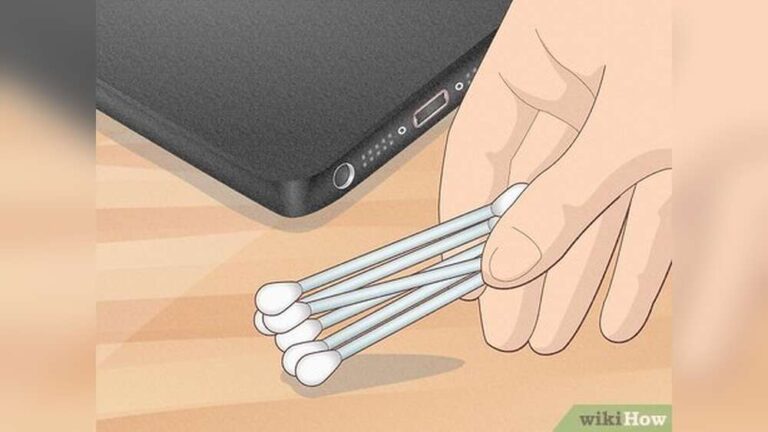
- Keep ports clean – Dust or dirt in the charging port can cause problems.
Here’s a quick reference guide:
| Step | What to Do | Why It Matters |
|---|---|---|
| 1 | Use quality cable/charger | Ensures safe, fast charging |
| 2 | Charge at room temp | Prevents damage, keeps charging efficient |
| 3 | Don’t use while charging | Speeds up charging, protects battery |
| 4 | Unplug when full | Extends battery life |
| 5 | Check for dirt in port | Avoids charging errors |
How To Know When Your Jbl Headphones Need Charging
Most JBL headphones will warn you when the battery is low:
- Voice prompt – “Battery low” or a beep
- Flashing LED – Usually red or orange
- Battery level on phone – Many JBL Bluetooth headphones show battery status on your phone
It’s good to recharge before the battery reaches zero. Consistently running the battery empty can shorten its life over time.
Credit: mm.jbl.com
How Long Do Jbl Headphones Last On A Full Charge?
Charging time is important, but so is playtime. Most JBL headphones offer:
- Over-ear models: 20–30 hours (with noise canceling off)
- On-ear models: 15–20 hours
- True wireless earbuds: 4–8 hours (plus extra from the case)
If you use features like active noise canceling (ANC), battery life will be shorter. For example, my JBL Live 650BTNC lasts about 20 hours with ANC on, but closer to 30 hours with ANC off.
Charging Jbl Headphones: Tips From Experience
After using JBL headphones for years, here are my top tips:
- Keep a spare cable in your bag or desk. You’ll always be ready to charge.
- Charge overnight if you use your headphones all day. Most JBL models have battery management to prevent overcharging.
- Update firmware through the JBL app when possible. This can improve both battery life and charging speed.
- Don’t ignore warning lights. If your headphones stop charging or the LED blinks, check your cable, charger, and port for issues.
- Traveling? Use a power bank. I once relied on a power bank during a long bus ride, and it saved me from a silent trip.
How To Make Your Jbl Headphone Battery Last Longer
Want to avoid charging too often? Try these strategies:
- Lower the volume – High volume drains the battery faster.
- Turn off ANC when you don’t need it – Noise canceling uses more power.
- Power off your headphones when not in use – Don’t just pause music; switch them off.
- Keep firmware updated – This can fix battery bugs.
- Store in the case – For earbuds, always put them back in the case to charge and protect them.
What To Do If Your Jbl Headphones Won’t Charge
Sometimes, things go wrong. If your headphones won’t charge:
- Try a different cable and charger
- Check the charging port for dirt or damage
- Reset the headphones (see your manual for steps)
- Update firmware through the JBL app
- Contact JBL support if nothing works
It’s rare, but batteries can fail. Most JBL headphones come with a one-year warranty. If you bought them recently, you may be able to get a repair or replacement.
Comparing Jbl To Other Headphone Brands
How do JBL’s charging times compare to other popular brands? Here’s a quick look:
| Brand | Model Example | Full Charge Time | Fast Charge Option |
|---|---|---|---|
| JBL | Live 650BTNC | 2 hours | Yes |
| Sony | WH-1000XM4 | 3 hours | Yes (10 min = 5 hours) |
| Bose | QC 35 II | 2.25 hours | No |
| Beats | Solo Pro | 1.5 hours | Yes (10 min = 3 hours) |
As you can see, JBL is competitive. Their charging times are short, and fast-charge features are common in newer models. Some brands offer slightly longer quick-charge playtime, but the difference is small.
Reliable Sources For More Information
If you want to read more about battery technology and charging, the Wikipedia article on rechargeable batteries is a good place to start: Wikipedia.
Frequently Asked Questions
How Long Does It Take For Jbl Headphones To Charge Fully?
Most JBL headphones take about 2 hours for a full charge. True wireless earbuds and their cases also need about 2 hours. Some models with fast charging can provide 1–2 hours of playtime after just 10–15 minutes of charging.
Can I Use My Jbl Headphones While Charging?
It’s possible with some over-ear and on-ear models, but not recommended. Using headphones while charging can slow the process and heat up the battery, which may reduce battery life over time. True wireless earbuds usually cannot be used while charging.
What Does The Red Light Mean On My Jbl Headphones?
A red light usually means your headphones are charging. When the light turns off or changes to white/green, charging is complete. If the red light blinks, it might signal a battery or charging problem.
Why Is My Jbl Headphone Charging Slower Than Before?
Possible reasons include using a poor-quality cable, charging from a low-power USB port (like a laptop), an old battery, or charging in a very hot/cold place. Try switching cables, chargers, or charging at room temperature.
How Can I Make The Battery Last Longer In My Jbl Headphones?
Lower the volume, turn off noise canceling when not needed, power off when not in use, keep firmware updated, and store earbuds in their case. Avoid running the battery to zero often.
JBL headphones are designed for convenience and quality, but knowing how charging works makes your experience even better. With these tips and insights, you can keep your headphones ready—no matter where life takes you.