How to Clean Over Ear Headphones for Crystal Clear Sound
Cleaning your over ear headphones is more important than most people realize. If you use your headphones every day, dirt, sweat, and oils can build up fast. This can harm the sound, make them smell bad, and even cause skin irritation.
I’ve learned this firsthand; my favorite pair started to sound muffled after a few months. When I finally cleaned them, the difference was huge. That’s why I want to share with you the best ways to clean your headphones, keep them fresh, and make them last longer.
Why Cleaning Over Ear Headphones Matters
Many people don’t think about headphone hygiene. But clean headphones give you better sound, protect your skin, and help your gear last longer.
- Sound quality: Dust and grime can block the speaker mesh. This reduces clarity and bass.
- Health: Sweat and bacteria on the ear pads can cause skin problems.
- Longevity: Dirt can wear out pads and headbands. Clean headphones don’t need repairs as often.
I once wore headphones at the gym for months without cleaning. My ears started to itch, and I noticed a strange smell. When I cleaned them, the itching stopped and the smell disappeared. It was a wake-up call!
What You Need To Clean Over Ear Headphones
Before you start, gather these items. You don’t need fancy tools. Most things are simple and easy to find.
- Microfiber cloth: Soft, lint-free. Won’t scratch surfaces.
- Cotton swabs: For small spaces and speaker mesh.
- Mild soap: No harsh chemicals or alcohol.
- Warm water: For mixing with soap.
- Soft brush: Like a toothbrush, for pads and crevices.
- Rubbing alcohol: Use only on tough spots (not leather).
- Paper towels: For drying.
- Compressed air can: Optional, for blowing out dust.
If your headphones have removable ear pads, it’s much easier to clean them. If not, you need to be careful not to damage any parts.
Step-by-step Cleaning Guide
Cleaning your headphones doesn’t take long, but doing it right is key. Here’s how I clean mine, and it works every time.
1. Unplug And Remove Batteries
Always unplug your headphones and remove any batteries before cleaning. This prevents damage and keeps you safe.
2. Remove Ear Pads (if Possible)
Most over ear headphones have removable ear pads. Check the manual or look for clips or magnets. Gently pull them off.
If your pads don’t come off, clean them while attached. Be careful not to let water seep inside.
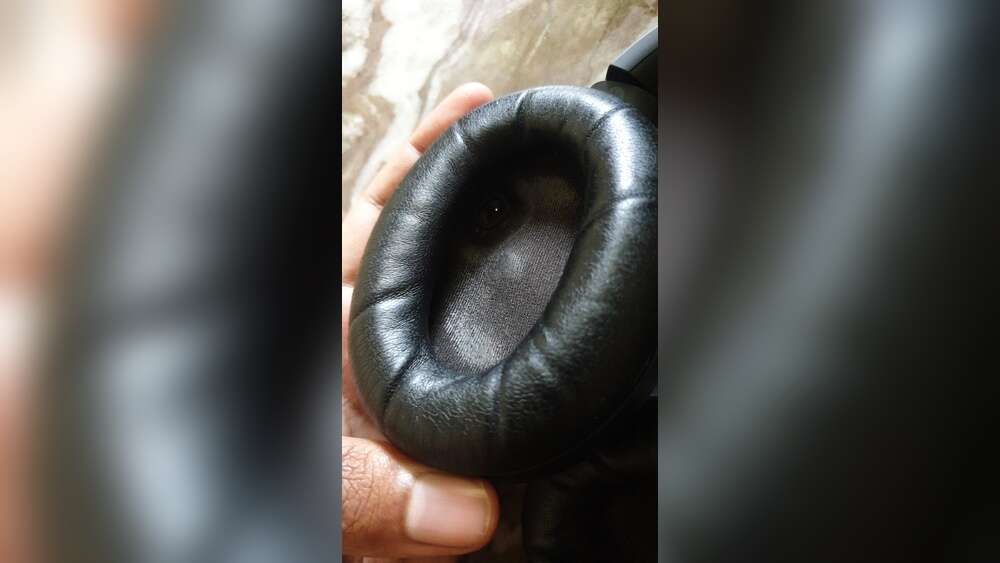
3. Clean The Ear Pads
Ear pads get the most dirt, sweat, and oil. Here’s how to clean them:
- Mix a few drops of mild soap with warm water.
- Dip your microfiber cloth in the soapy water, then wring it out.
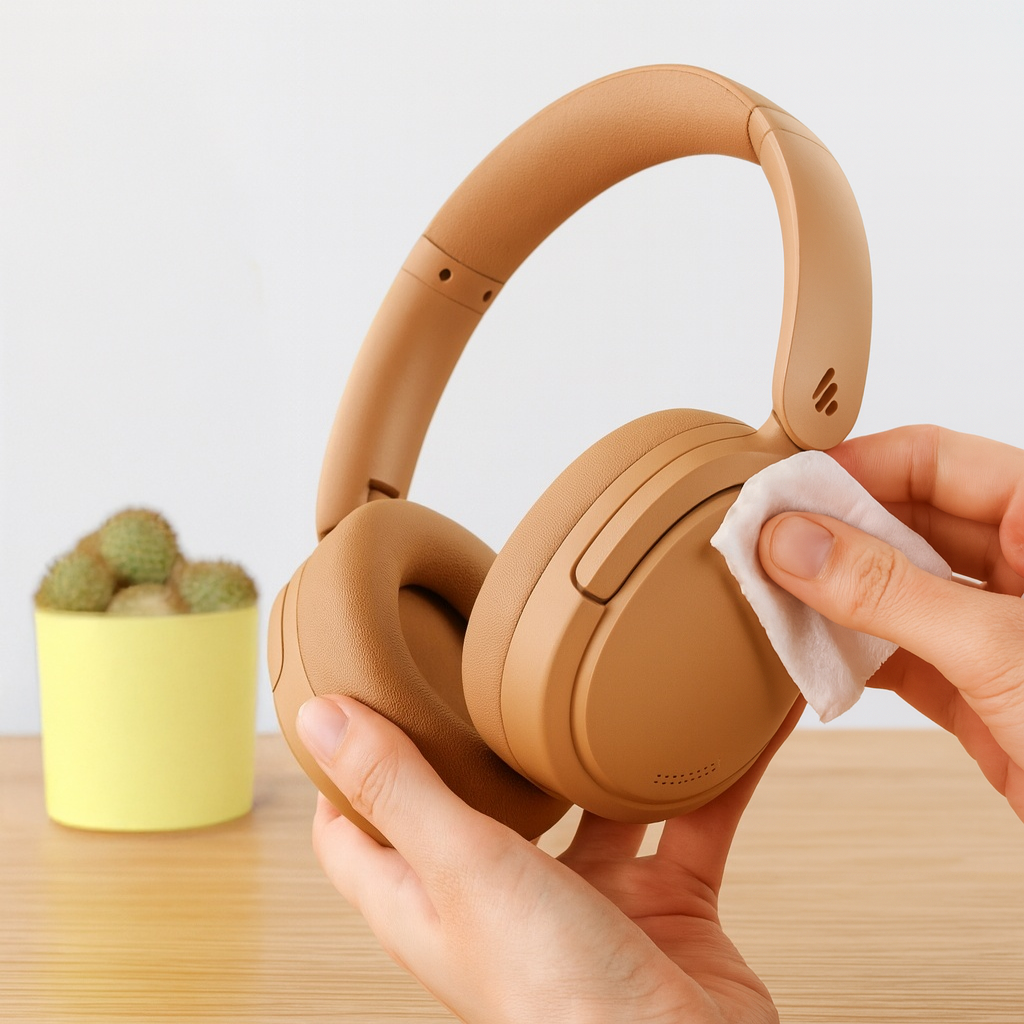
- Wipe the pads gently. Don’t soak them.
- For stubborn stains, use a soft brush or cotton swab.
- If the pads are made of leather, use only water and a soft cloth. Leather cleaner works too.
- Dry pads with a paper towel. Let them air dry fully before reattaching.
| Pad Material | Best Cleaning Method | Drying Time |
|---|---|---|
| Leather | Soft cloth, water | 2–3 hours |
| Velour | Soap & water, brush | 4–6 hours |
| Foam | Soap & water, air dry | 5–8 hours |
Don’t rush drying. Wet pads can trap bacteria and damage the headphones.
4. Clean The Headband
Headbands touch your hair and skin. They collect sweat, oils, and dust.
- Use a damp microfiber cloth with soap.
- Wipe the band gently, especially the underside.
- For tough spots, use a cotton swab.
- Dry with a paper towel.
If your headband is leather, use the same method as for leather pads.
5. Clean The Speaker Grills
Speaker grills are delicate. Dirt here affects sound.
- Use a dry cotton swab or soft brush.
- Gently sweep away dust and lint.
- Use a can of compressed air for extra cleaning.
- Don’t use water or soap on grills. Moisture can ruin them.
I once used a damp cloth on my speaker mesh, and it caused distortion. Avoid moisture near the speakers.
6. Clean The Cables
Cables are often forgotten, but they collect dirt too.
- Unplug all cables.
- Wipe with a damp cloth and mild soap.
- Dry with a paper towel.
Never use alcohol on cables. It can dry out the rubber and cause cracks.
7. Reassemble And Check
When everything is dry, put pads and cables back. Check for loose parts. Make sure there’s no moisture left.
How Often Should You Clean Your Headphones?
How often you clean depends on how you use them:
- Daily use: Clean pads and headband weekly. Deep clean monthly.
- Gym or outdoor use: Clean after each workout. Sweat builds fast.
- Occasional use: Clean every 1–2 months.
If you notice a smell, itching, or muffled sound, clean right away.
Deep Cleaning: When And How
Sometimes, a simple wipe is not enough. If your headphones have sticky pads, strange smells, or visible grime, it’s time for a deep clean.
Signs You Need Deep Cleaning
- Ear pads are sticky or discolored.
- Headband has visible sweat marks.
- Sound is muffled or unclear.
- Headphones smell bad.
Deep Cleaning Steps
- Remove all pads and cables.
- Clean pads with soap and water, let them soak for 5–10 minutes if they’re foam.
- Scrub the headband and grills carefully.
- Dry everything fully.
- If pads are damaged, consider replacing them.
| Cleaning Step | Recommended Frequency |
|---|---|
| Light wipe | Weekly |
| Deep clean | Monthly |
| Pad replacement | Yearly |
Mistakes To Avoid When Cleaning
Cleaning headphones is simple, but there are mistakes that can cause damage.
- Using too much water: Pads and grills can trap moisture. This leads to mold and damage.
- Harsh chemicals: Alcohol, bleach, or strong cleaners can ruin leather and foam.
- Wet speaker mesh: Always keep water away from speakers.
- Not drying fully: Damp pads can cause bacteria growth.
- Rushing the process: Give time for parts to air dry.
Once, I tried to dry my pads with a hair dryer. The heat melted the foam and ruined the fit. Air drying is always safer.
Tips For Keeping Headphones Clean Longer
You can make cleaning easier by keeping your headphones clean daily.
- Store in a case when not in use.
- Wash hands before using headphones.
- Avoid eating or drinking while wearing them.
- Clean pads after sweaty workouts.
- Replace pads when they feel rough or smell.
These habits mean less deep cleaning and longer headphone life.
Cleaning Headphones With Special Materials
Not all headphones are the same. Some use special materials.
Leather Pads
- Use only water or leather cleaner.
- Avoid soap and alcohol.
- Condition leather every few months to keep it soft.
Memory Foam Pads
- Use soap and water, then air dry.
- Don’t squeeze or twist. Foam can tear.
Fabric Pads
- Brush off dust first.
- Use soap and water, then let dry fully.
| Material | Do | Don’t |
|---|---|---|
| Leather | Water, soft cloth | Soap, alcohol |
| Foam | Soap, gentle drying | Twisting, heat |
| Fabric | Brush, soap | Bleach, strong chemicals |
Credit: edifier-online.com
Handling Smells And Stains
If your headphones smell, cleaning alone may not fix it.
- Sprinkle baking soda on pads. Let sit for an hour, then brush off.
- Use a tiny bit of vinegar and water on a cloth for tough odors.
- For stains, use a soft brush and mild soap.
Don’t use perfume or air fresheners. They can cause allergic reactions.
Are Replacement Pads Worth It?
Sometimes, cleaning isn’t enough. Pads wear out after a year or two. Replacing pads makes your headphones feel brand new.
- Replacement pads cost $10–$40 depending on brand.
- Look for official pads for best fit.
- Changing pads is easy and boosts comfort.
I replaced pads on my old headphones after two years. The sound improved and they felt much softer.
Cleaning Headphones For Sharing
If you share your headphones, clean them more often. Bacteria and oils spread between users.
- Wipe pads with alcohol after each use (if pads are not leather).
- Clean headband and cables.
- Let pads dry fully before next use.
This is important in offices, studios, and schools.
Using Cleaning Kits
Many brands sell headphone cleaning kits. These include brushes, cloths, and sprays.
- Kits cost $10–$30.
- They are handy but not necessary.
- You can use household items for most cleaning.
If you want to try a kit, make sure it suits your headphone material.
Keeping Electronics Safe
Always protect the electronics inside your headphones.
- Avoid water near speakers and circuits.
- Never submerge headphones.
- If water gets inside, let headphones dry for 24–48 hours before use.
If you notice buzzing or odd sounds after cleaning, let your headphones dry longer.
Cleaning Wireless And Bluetooth Headphones
Wireless headphones need extra care. They have batteries and circuits inside.
- Remove pads and clean as usual.
- Don’t use water near charging ports or buttons.
- Clean the ports with dry cotton swabs.
- Let everything dry fully before charging.
Many wireless headphones use magnets for pads. Be gentle when removing and reattaching.
Credit: www.reddit.com
Storing Headphones Properly
Storage is a big part of keeping headphones clean.
- Use a hard case to protect from dust.
- Don’t store in damp places.
- Hang headphones to keep pads from flattening.
If you travel, wipe your headphones after each trip.
When To Seek Professional Cleaning
If your headphones are expensive or have complex parts, professional cleaning may be best.
- Costs $30–$100 depending on service.
- Professionals can deep clean without risk.
- Useful for headphones with built-in microphones or controls.
If you have a rare model or use headphones for work, consider this option.

Credit: www.youtube.com
Cleaning Kids’ Headphones
Kids’ headphones get dirty fast. Clean them often.
- Use mild soap and water.
- Avoid alcohol or harsh chemicals.
- Let dry fully.
Kids’ headphones often have removable pads. Take them off for cleaning.
Data On Headphone Hygiene
Research shows that headphones can carry bacteria and fungi if not cleaned. A study found that headphones used daily had 3–5 times more bacteria than clean surfaces.
- Regular cleaning reduces germs by up to 80%.
- Clean headphones are less likely to cause ear infections.
For more information on headphone hygiene, visit Wikipedia.
Frequently Asked Questions
How Often Should I Clean My Over Ear Headphones?
Clean your headphones at least once a week if you use them daily. If you use them for workouts or outdoors, wipe them after each use. Deep clean every month.
Can I Use Alcohol To Clean Headphones?
You can use rubbing alcohol on tough spots, but avoid it on leather or foam pads. It’s best for headbands and cables (if not rubber).
What Should I Do If Water Gets Inside My Headphones?
If water enters the speaker area, let your headphones dry for 24–48 hours. Don’t use them until fully dry. You can place them in a dry, warm spot. Avoid heat sources like hair dryers.
Is It Safe To Share Headphones?
Sharing is safe if you clean pads and headband with alcohol after each use (unless pads are leather). Let pads dry before the next user.
How Do I Remove Bad Smells From Headphones?
Sprinkle baking soda on pads, let sit for an hour, then brush off. Use a cloth with a little vinegar and water for tough odors. Avoid perfumes.
Cleaning your over ear headphones is simple but makes a big difference. With regular care, your headphones will sound better, feel more comfortable, and last longer. Trust me, after seeing how much grime builds up, I never skip cleaning anymore.
Take a few minutes each week, and your headphones will thank you.