How To Wash Beats Headphones: Safe Cleaning Steps
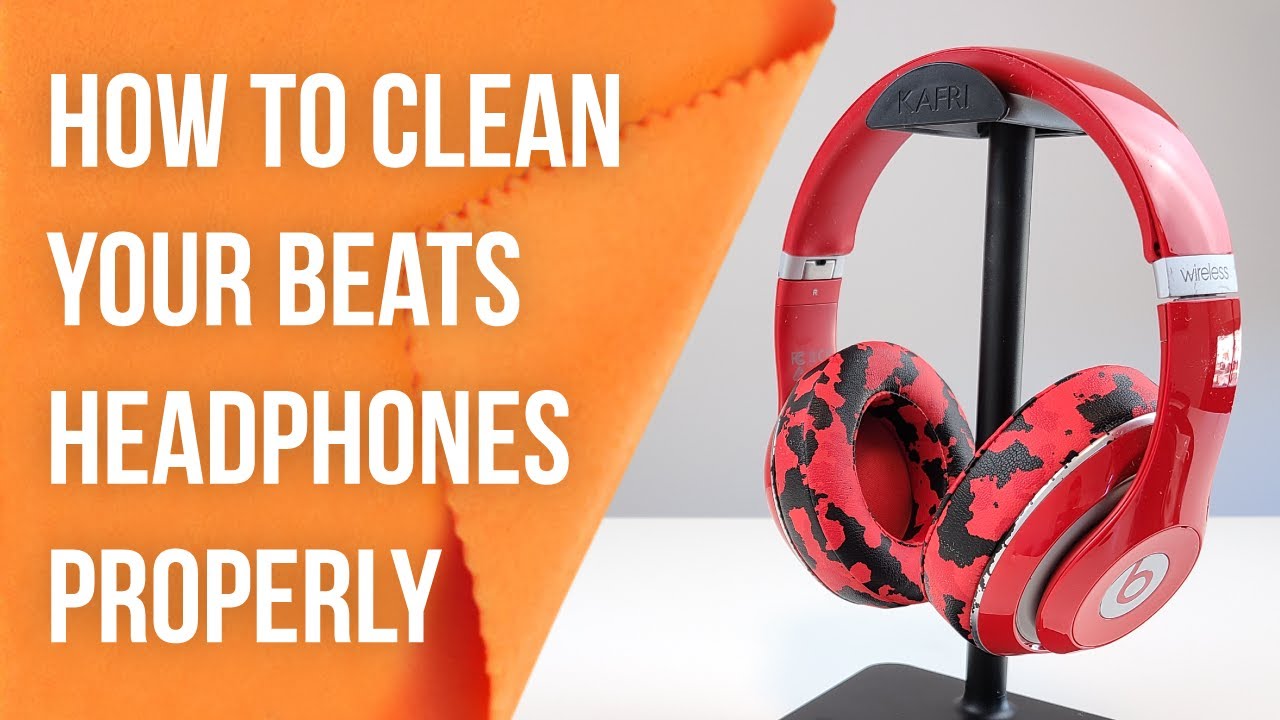
Clean Beats headphones gently: use a damp cloth, mild soap, and avoid soaking or water in ports.
I’ve cleaned dozens of headphones in repair shops and at home. I’ll show step-by-step how to wash Beats headphones safely and effectively. This guide covers tools, quick daily wipes, deep cleaning ear cushions, handling leather and fabric, caring for wireless parts, drying, and tips I learned the hard way. Read on to keep your Beats fresh, sound great, and last longer.
Why cleaning Beats headphones matters
Regular cleaning keeps sound clear and parts working. Dirt, sweat, and oils can degrade cushions and cause bad smells. Grime in seams and ports can block microphones and reduce connection quality. Learning how to wash Beats headphones helps protect your investment and your ears.

What you need before you start
Gather safe supplies. Use mild dish soap or gentle hand soap, a few soft microfiber cloths, cotton swabs, and isopropyl alcohol 70% or less for small spots. Have a small bowl of lukewarm water and a soft toothbrush for seams. Avoid harsh chemicals, bleach, or submersion in water, especially with wireless Beats.

Quick daily cleaning routine
A short wipe can keep your Beats fresh. Wipe ear cups and headband with a lightly damp microfiber cloth after each use. Clean sweat-prone spots after workouts to stop odor and damage. Use a dry cloth to remove dust from ports and hinge areas.

Step-by-step deep clean for Beats headphones
These steps show how to wash Beats headphones deeply without damage. Read all steps first. Work slowly and avoid excess moisture near ports and electronics.
- Power off and disconnect
- Turn off power and unplug any cables. Remove batteries if your model allows.
- Remove ear cushions if possible
- Some Beats cushions snap off. Gently pull them free. Check your model’s guide before removing.
- Clean ear cushions
- Mix a small amount of mild soap with lukewarm water. Dip a cloth, wring it out well, and wipe the cushions. Rinse the cloth and wipe again to remove soap residue.
- Clean headband and exterior
- Use the same damp cloth to clean plastic, leather, or metal parts. For leather, avoid over-wetting and wipe quickly.
- Clean crevices and ports
- Use a dry cotton swab or a soft toothbrush to remove debris. Lightly dampen a swab with isopropyl alcohol for stubborn grime, but do not saturate.
- Dry fully
- Pat parts dry with a clean cloth. Air-dry for several hours in a cool, dry place. Do not use a hair dryer on hot settings.

Deep cleaning cushions, pads, and leather care
Different materials need different care. Treat leather, synthetic leather, and fabric gently.
- Leather or faux leather cushions
- Clean with a barely damp cloth and mild soap. Finish with a leather conditioner applied sparingly if the material is real leather. Avoid soaking.
- Fabric or mesh pads
- Use a damp cloth and gentle soap. For heavy dirt, softly scrub with a soft toothbrush. Allow full air drying on a towel.
- Memory foam inserts
* Wipe outer surfaces only. Do not wash the foam core. Moisture can trap and damage the foam.
I once tried machine washing a set of third-party pads. They lost shape and comfort. That taught me to prefer hand cleaning and gentle care.

Cleaning wireless components, ports, and microphones
Electronics must stay dry. Water in ports or mic holes can cause permanent damage.
- Avoid submerging any part with electronic components
- Never soak wireless ear cups or the headband if they contain wires or batteries.
- Use isopropyl alcohol lightly
- For sticky residue, dampen a cotton swab with isopropyl alcohol 70% or less and clean around ports and buttons. Alcohol evaporates fast and reduces moisture risk.
- Blow out dust gently
- Use a can of compressed air from a short distance to clear ports. Keep bursts short to avoid moisture buildup.
Drying and reassembly
Drying is essential to avoid mold and electronics failure. Reassemble only when totally dry.
- Pat dry all parts with a soft towel
- Then leave pieces to air-dry for at least two to four hours. Longer is safer.
- Reattach cushions carefully
- Snap or press cushions back into place. Check alignment and test fit.
- Power on and test
- Turn on and play audio to confirm sound, mic, and controls work. If something feels off, power down and inspect again.

Maintenance habits to prevent heavy cleanings
Small routines prevent big problems. These habits save time and extend life.
- Wipe after each use
- A quick wipe with a dry cloth removes oils and sweat.
- Store in a case
- Keep your Beats in a hard or padded case to cut down dust and crushing.
- Rotate use
- If you own multiple pairs, rotate them to reduce constant wear.
Troubleshooting and precautions
If you encounter issues, remain cautious. Some problems need pros.
- Water exposure
- If water got in, power off immediately and let components dry for 48 hours in silica gel or rice as a last resort. Do not power on too soon.
- Persistent odors
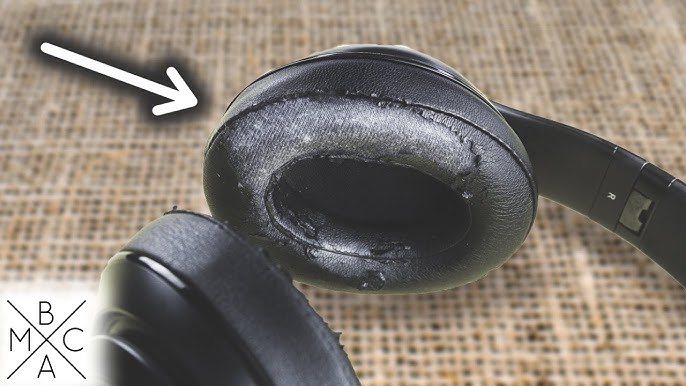
- Replace foam pads if smells don’t fade. Fabric pads can trap odor beyond cleaning.
- Warranty considerations
- Check your warranty. Some cleaning methods may void coverage if they damage the product.
Personal tips and lessons learned
I’ve repaired headphones and cleaned many pairs for friends. Here are practical tips I use.
- Use a barely damp cloth
- Too much water causes more harm than good.
- Test cleaners in a small spot
- Before using soap or alcohol, test where it won’t show.
- Keep a small cleaning kit
- I keep a microfiber cloth and cotton swabs in my gear bag. It saves time and keeps gear fresh.
Frequently Asked Questions of how to wash beats headphones
Can I fully submerge Beats headphones to clean them?
No. Submerging can ruin electronics and void warranties. Use only damp cloths and avoid letting water near ports.
How often should I clean my Beats headphones?
Wipe them after heavy use or workouts and do a deep clean every 1 to 3 months. More frequent cleaning helps if you sweat a lot.
Can I use rubbing alcohol on Beats ear pads?
Use isopropyl alcohol sparingly and only on hard surfaces or small spots. Avoid soaking cushions and never use alcohol on soft foam directly.
Are there special cleaners for leather Beats headbands?
Yes, leather cleaners and conditioners made for electronics are safe when used lightly. Always test on a small area first.
Will cleaning my Beats headphones damage noise-canceling features?
Proper cleaning will not harm noise canceling if you avoid moisture in mic holes and ports. If noise canceling stops working, check for blocked microphones before assuming damage.
Conclusion
Keeping your Beats clean is simple with the right steps. Use gentle soap, soft cloths, and minimal moisture. Remove cushions for a safe deep clean and never soak electronic parts. Small daily habits cut the need for big cleanings and protect sound quality. Try these steps today and give your Beats a longer, fresher life. Share your results, ask questions below, or subscribe for more gear care tips.